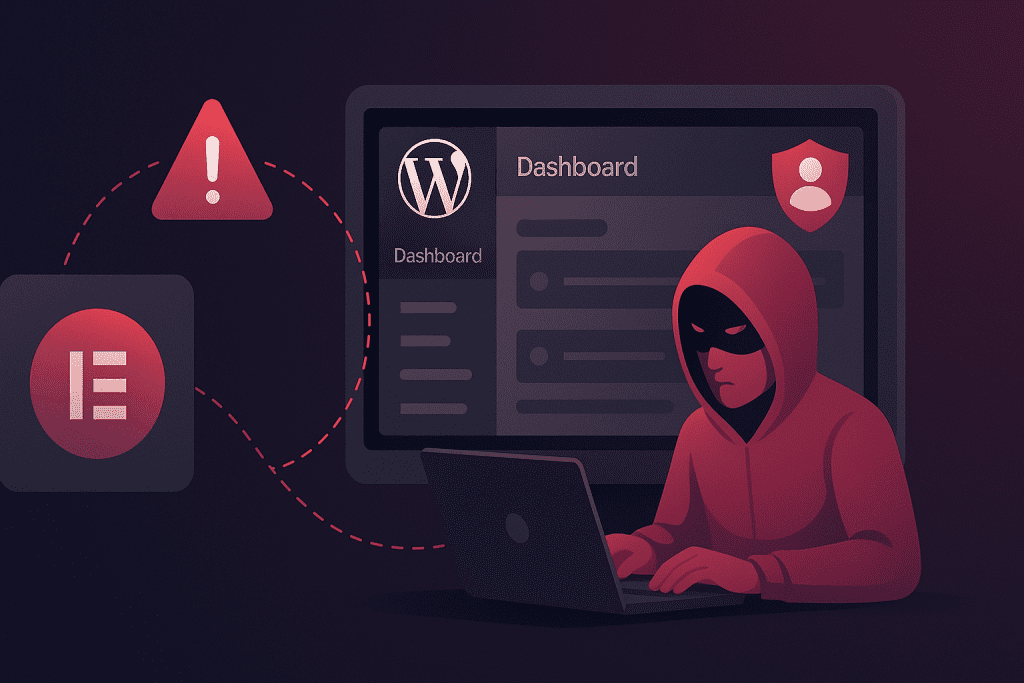
A devastating security vulnerability has been discovered in the widely-used “King Addons for Elementor” WordPress plugin, putting more than 10,000 active websites at immediate risk of complete administrative takeover. Security researchers have issued urgent warnings as attackers have already begun mass exploitation campaigns, with over 48,400 attack attempts blocked in just the first few weeks following public disclosure.
The vulnerability, designated as CVE-2025-8489 with a critical CVSS score of 9.8, allows completely unauthenticated attackers to create administrator accounts on vulnerable WordPress installations without any prior access, credentials, or user interaction. This represents one of the most severe WordPress plugin vulnerabilities discovered in recent years.
Vulnerability Overview and Impact
The flaw exists in the plugin’s user registration mechanism, where inadequate role validation allows attackers to specify arbitrary user roles during account creation. By exploiting this weakness, threat actors can register new accounts with full administrator privileges through a single HTTP request to the WordPress AJAX handler.
| Attribute | Details |
|---|---|
| Vulnerability Name | King Addons for Elementor – Unauthenticated Privilege Escalation |
| CVE Identifier | CVE-2025-8489 |
| CVSS Score | 9.8 (Critical) |
| Vulnerability Type | Unauthenticated Privilege Escalation |
| Affected Plugin | King Addons for Elementor |
| Vulnerable Versions | 24.12.92 through 51.1.14 |
| Patched Version | 51.1.35 (Released September 25, 2025) |
| Active Installations | 10,000+ |
| Exploitation Status | Actively Exploited in the Wild |
| Discovered By | Peter Thaleikis (Wordfence Security) |
Once attackers gain administrator privileges through this vulnerability, they possess unrestricted capabilities to compromise the entire WordPress installation. The consequences extend far beyond simple website defacement and include:
- Installing malicious plugins and themes containing backdoors for persistent access
- Modifying website content including posts, pages, and critical files
- Redirecting visitors to malicious websites or phishing pages
- Injecting spam content and SEO poisoning to damage site reputation
- Stealing sensitive data including user information and database contents
- Creating additional admin accounts for future access
- Uploading web shells to compromise the underlying server
- Modifying core WordPress files and configuration settings
Technical Details: How the Attack Works
The vulnerability stems from insufficient validation in the plugin’s handle_register_ajax() function. When processing user registration requests, the plugin accepts a “user_role” parameter from POST data without properly verifying whether the requested role is appropriate or permitted.
The vulnerable code flow operates as follows:
- The plugin receives a registration request via the WordPress AJAX handler
- It extracts the user_role parameter from POST data using basic sanitization
- The code checks only that the role is not empty and differs from “subscriber”
- Without further validation, it assigns the requested role to the new account
- WordPress creates the account with the attacker-specified privileges
An attacker can exploit this vulnerability by sending a crafted HTTP POST request to the vulnerable endpoint:
POST /wp-admin/admin-ajax.php HTTP/1.1
Host: vulnerable-site.com
Content-Type: application/x-www-form-urlencoded

action=king_addons_user_register&user_role=administrator&username=attacker&email=attacker@malicious.com&password=SecurePass123
This request creates a fully functional administrator account that the attacker can immediately use to access the WordPress admin dashboard. The entire exploitation process takes seconds and requires no technical sophistication, no existing credentials, and no user interaction whatsoever.
Exploitation Timeline and Attack Statistics
The vulnerability disclosure and subsequent exploitation followed a rapid timeline that demonstrates how quickly security flaws can be weaponized once publicly disclosed.
| Date | Event | Significance |
|---|---|---|
| July 24, 2025 | Vulnerability reported to vendor | Private disclosure begins responsible disclosure process |
| August 4, 2025 | Wordfence deploys firewall rule for Premium customers | Premium protection begins |
| September 3, 2025 | Wordfence extends protection to free users | Broader protection coverage |
| September 25, 2025 | Vendor releases patched version 51.1.35 | Security fix becomes available |
| October 30, 2025 | Public disclosure of vulnerability details | Information becomes publicly available |
| October 31, 2025 | Active exploitation begins (1 day after disclosure) | Attackers weaponize the vulnerability |
| November 9-10, 2025 | Major attack spike observed | Peak exploitation activity |
| December 2025 | Over 48,400 exploit attempts blocked | Ongoing mass exploitation campaigns |
The statistics reveal the scale and intensity of exploitation attempts. Wordfence’s threat intelligence team identified several IP addresses as primary sources of attack traffic, with two addresses alone responsible for the overwhelming majority of exploitation attempts.
Top Attacking IP Addresses
Analysis of blocked exploitation attempts reveals that attacks are concentrated from specific IP addresses, suggesting organized and systematic attack campaigns rather than opportunistic individual attempts.
| IP Address | Blocked Requests | Percentage of Total |
|---|---|---|
| 45.61.157.120 | 28,900+ | ~60% |
| 2602:fa59:3:424::1 | 16,900+ | ~35% |
| 182.8.226.228 | 300+ | ~0.6% |
| 138.199.21.230 | 100+ | ~0.2% |
| 206.238.221.25 | 100+ | ~0.2% |
| Other Sources | 2,100+ | ~4% |
The concentration of attacks from just two IP addresses (accounting for 95% of exploitation attempts) indicates coordinated attack infrastructure rather than distributed individual attempts. This suggests the vulnerability is being actively exploited by specific threat actors running automated scanning and exploitation tools.
Why This Vulnerability Is Exceptionally Dangerous
Several characteristics combine to make CVE-2025-8489 particularly severe compared to typical WordPress plugin vulnerabilities:
1. Zero Authentication Requirement
Most privilege escalation vulnerabilities require some existing level of access—perhaps a subscriber account or authenticated session. This vulnerability requires absolutely nothing. Any individual on the internet can exploit it without any prior relationship with the target website.
2. Maximum Possible Impact
Administrator access represents complete compromise in WordPress. Unlike vulnerabilities that allow limited data access or minor modifications, administrator privileges grant attackers absolute control over every aspect of the website, its data, and potentially the underlying server.
3. Trivial Exploitation
The exploit requires only a single HTTP POST request with easily discoverable parameters. No complex techniques, no special tools, no advanced knowledge necessary. Script kiddies and sophisticated threat actors alike can exploit this vulnerability with equal ease.
4. Large Target Population
With over 10,000 active installations, thousands of websites remain potentially vulnerable. The plugin’s popularity among Elementor users creates an attractive target base for automated mass exploitation campaigns.
5. Rapid Weaponization
Attackers began exploiting this vulnerability within 24 hours of public disclosure. The speed at which exploitation commenced demonstrates how quickly vulnerabilities transition from disclosure to active threats in the modern threat landscape.
6. Persistent Compromise Risk
Even after patching the plugin, any backdoors or malicious modifications installed through administrator access remain functional. Compromised sites require comprehensive security audits and cleanup beyond simple plugin updates.
Detection: Signs Your Site May Be Compromised
Website administrators should immediately check for indicators of compromise, particularly if running vulnerable plugin versions at any time after July 2025.
| Indicator Category | What to Check | Where to Look |
|---|---|---|
| Suspicious Admin Accounts | Unknown administrator accounts created after July 2025 | WordPress Admin → Users → All Users |
| Registration Activity | POST requests to admin-ajax.php with king_addons_user_register action | Web server access logs |
| Malicious IP Connections | Access from known attacking IPs (see table above) | Access logs and firewall logs |
| Plugin/Theme Changes | Unexpected installations or modifications | WordPress Admin → Plugins/Themes |
| File Modifications | Unauthorized changes to core files, themes, or uploads | File system integrity checking |
| Database Anomalies | New administrator entries in wp_users table | WordPress database inspection |
| Content Changes | Modified posts, pages, or injected content | Content review and version history |
| Configuration Modifications | Changes to wp-config.php or .htaccess files | Configuration file comparison |
Immediate Response Steps for Website Owners
All website administrators using King Addons for Elementor must take immediate action to secure their installations. The following steps should be executed as quickly as possible:
Step 1: Emergency Update
| Action | Instructions | Priority |
|---|---|---|
| Verify Current Version | Check your plugin version in WordPress Admin → Plugins | IMMEDIATE |
| Update Plugin | Update to version 51.1.35 or later immediately | IMMEDIATE |
| Confirm Update | Verify the version number shows 51.1.35 or higher | IMMEDIATE |
| Clear All Caches | Clear WordPress, plugin, and server caches | HIGH |
Step 2: Security Audit and Investigation
If your site was running a vulnerable version at any point after July 24, 2025, perform a comprehensive security investigation:
- Review All User Accounts: Check the Users section in WordPress admin for any administrator accounts you don’t recognize. Pay special attention to accounts created after July 2025. Delete any suspicious accounts immediately.
- Analyze Server Logs: Examine web server access logs for POST requests to /wp-admin/admin-ajax.php with the action parameter set to “king_addons_user_register”. Look for requests originating from the attacking IP addresses listed above.
- Scan for Malware: Run comprehensive malware scans using security plugins such as Wordfence, SiteGuarding SiteCheck, or similar tools. Scan all files in your WordPress installation including themes, plugins, and uploads directories.
- Verify Installed Components: Review all installed plugins and themes. Ensure you recognize every component and that all items are from legitimate sources. Deactivate and delete anything suspicious or unnecessary.
- Check File Modifications: Review file modification timestamps for suspicious changes. Pay particular attention to wp-config.php, .htaccess, theme files, and any PHP files in the uploads directory.
- Examine Database Integrity: Inspect the wp_users table in your WordPress database for unauthorized administrator accounts. Look for unusual creation dates or suspicious email addresses.
- Reset All Credentials: Change passwords for all administrator and editor accounts. Use strong, unique passwords for each account.
- Regenerate Security Keys: Replace all security keys and salts in your wp-config.php file. WordPress provides a generator at https://api.wordpress.org/secret-key/1.1/salt/
Step 3: Enhanced Security Implementation
Beyond emergency patching, implement defense-in-depth security measures to protect against future vulnerabilities:
| Security Measure | Implementation | Benefit |
|---|---|---|
| Web Application Firewall | Deploy Wordfence, Cloudflare WAF, or similar protection | Blocks exploit attempts in real-time |
| Two-Factor Authentication | Enable 2FA for all administrator accounts | Prevents unauthorized access with stolen credentials |
| Disable User Registration | Turn off public registration or implement strong CAPTCHA | Reduces attack surface for registration exploits |
| IP Blocking | Block known attacking IPs at firewall level | Prevents access from identified threat sources |
| File Integrity Monitoring | Implement automated change detection | Alerts on unauthorized file modifications |
| Security Logging | Enable comprehensive audit logging | Provides forensic data for incident analysis |
| Automatic Updates | Enable auto-updates for plugin security patches | Ensures rapid deployment of security fixes |
| Regular Backups | Implement daily automated backups to external storage | Enables recovery from compromise |
Impact Assessment by Website Type
The severity of compromise varies based on the nature and purpose of the affected WordPress installation:
| Website Type | Primary Risk | Potential Consequences |
|---|---|---|
| E-commerce Sites | Payment data theft, transaction manipulation | Financial fraud, customer data breach, PCI compliance violations, legal liability |
| Corporate Websites | Brand reputation damage, data theft | Corporate espionage, regulatory fines, customer trust loss, stock impact |
| News/Media Sites | Content manipulation, misinformation distribution | Credibility destruction, reader trust loss, advertising revenue impact |
| Membership/Subscription Sites | Member data exposure, access control breach | Privacy violations, subscription fraud, GDPR/privacy law violations |
| Small Business Sites | Complete site takeover, customer data exposure | Business disruption, customer notification costs, recovery expenses |
| Personal Blogs | Content hijacking, spam distribution | Reputation damage, SEO poisoning, hosting suspension |
| Healthcare Websites | HIPAA-protected data exposure | Massive regulatory fines, legal liability, patient privacy violations |
| Educational Sites | Student data compromise, grade manipulation | FERPA violations, administrative chaos, institutional liability |
Professional Incident Response Recommendations
For websites that suspect or confirm compromise, professional incident response services are strongly recommended. The complexity of thoroughly cleaning a compromised WordPress installation often exceeds the capabilities of typical website administrators.
Professional security firms can provide:
- Forensic Analysis: Detailed investigation to determine the full extent of compromise, identify all malicious modifications, and trace attacker activities
- Complete Malware Removal: Professional-grade scanning and removal of all malicious code, backdoors, and modifications
- Security Hardening: Implementation of comprehensive security measures to prevent reinfection
- Compliance Reporting: Documentation required for regulatory compliance and legal obligations
- Recovery Assistance: Help with backup restoration, data integrity verification, and site functionality testing
Lessons for WordPress Plugin Developers
This vulnerability highlights critical security principles that all WordPress plugin developers must follow:
Input Validation and Sanitization
All user-supplied input must be treated as potentially malicious. Security-critical parameters such as user roles should be validated against strict whitelists of acceptable values. Sanitization alone is insufficient—validation must confirm that submitted values are appropriate and authorized.
Principle of Least Privilege
User registration functions should default to the lowest possible privilege level. Administrative role assignment should never be automated based on user input and should require explicit administrative approval through secure workflows.
Security-First Development Practices
Security considerations must be integrated throughout the development lifecycle, not added as an afterthought. This includes threat modeling, secure coding practices, peer code review, and comprehensive security testing before release.
Rapid Response Protocols
Developers must establish clear procedures for handling security vulnerabilities, including rapid patching, coordinated disclosure, and effective communication with users.
Broader Implications for WordPress Security
CVE-2025-8489 is not an isolated incident but represents ongoing challenges in the WordPress plugin ecosystem:
Supply Chain Risk: WordPress sites depend on numerous third-party plugins, creating extensive attack surface. Each plugin represents a potential security vulnerability that could compromise the entire installation.
Update Fatigue: The constant stream of plugin updates leads some administrators to delay or skip updates, creating windows of vulnerability even after patches are released.
Disclosure Challenges: The gap between private disclosure, patch release, and public disclosure creates complex timing issues. This vulnerability demonstrates that even a two-month window between patch and disclosure doesn’t prevent rapid exploitation.
Detection Difficulties: Many site administrators lack the expertise or tools to detect sophisticated compromises, allowing attackers to maintain persistent access for extended periods.
Conclusion and Action Summary
The CVE-2025-8489 vulnerability in King Addons for Elementor represents an immediate and critical threat to WordPress security. With a maximum CVSS severity score of 9.8, active exploitation by multiple threat actors, and over 48,400 documented attack attempts, this is not a vulnerability that can wait for routine maintenance windows.
The fundamental characteristics of this flaw—zero authentication requirement, trivial exploitation, and maximum impact—create a perfect storm of risk. Every vulnerable installation is just one HTTP request away from complete compromise.
Immediate Action Checklist:
| Priority | Action Item | Status |
|---|---|---|
| URGENT | Update King Addons for Elementor to version 51.1.35 or later | ☐ |
| URGENT | Review all user accounts and delete suspicious administrators | ☐ |
| HIGH | Check server logs for exploitation attempts from known attacking IPs | ☐ |
| HIGH | Run comprehensive malware scans on all files | ☐ |
| HIGH | Monitor for unusual changes to content, plugins, or themes | ☐ |
| MEDIUM | Reset all administrator passwords | ☐ |
| MEDIUM | Regenerate WordPress security keys | ☐ |
| MEDIUM | Implement two-factor authentication | ☐ |
| MEDIUM | Deploy Web Application Firewall protection | ☐ |
| ONGOING | Enable automatic plugin security updates | ☐ |
If you suspect your site has been compromised, seek professional incident response assistance immediately. The longer a compromise remains undetected, the more difficult and expensive recovery becomes.
This incident serves as a stark reminder that WordPress security requires constant vigilance. Plugin vulnerabilities can emerge at any time, and attackers stand ready to exploit them within hours of disclosure. The best defense combines proactive security measures, rapid patch deployment, and comprehensive monitoring.
Don’t wait—secure your WordPress installation today.